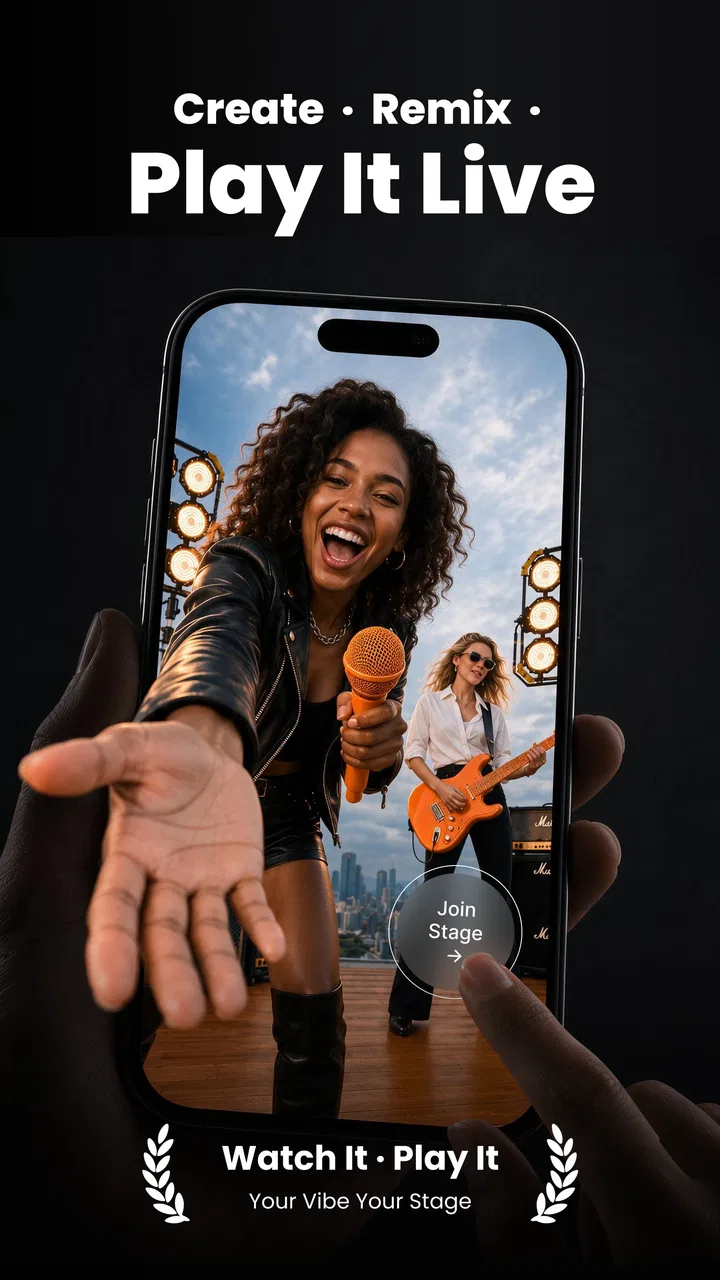
VibeMe AI: Playable Studio
- 4.4
- Rating
- 500.00K
- Installs
- Free
- Price

 Analysis by App-foxy
Turning a still photo into a short music-led performance sounds simple, but the result depends heavily on the photo, the chosen song, and how much motion the animation can create without making the face look unnatural. I spent time with VibeMe AI: Music Video Maker to see where it fits among mobile photography tools, especially when the phone is connected, moving between networks, or working with limited time. My overall impression is that it is best understood as a playful AI animation app rather than a full video editor. It takes a portrait and gives it a performance-like treatment, with tools built around singing, lip movement, and face dancing.
That focus makes the app easy to understand. You are not opening it to arrange a long timeline, correct color across several clips, or build a polished film from many sources. You open it when you have one image and want to turn it into something shareable. In my experience, that narrow purpose is also its main strength: the creative decision happens quickly. The trade-off is that users looking for detailed editing control may find the experience limited compared with a conventional editor.
How VibeMe AI feels when the connection is part of the workflow
The app is published by Giant Global and belongs to the photography category, although its output feels closer to a compact social-video creation tool. Its store summary presents the central idea clearly: animate a photo with an AI song, lip sync, and face dance. That combination tells you what kind of result to expect. This is not mainly about improving the original picture; it is about using the picture as the starting point for a short digital performance.
You May Also Like

 Blood Strike: 2.5 Anniversary
Blood Strike’s Loadouts Turn Every Drop Into a Tactical Gamble
A close look at Blood Strike’s custom loadouts: how fast access to signature weapons reshapes its battle royale rhythm, rewards preparation, and narrows the gap between fights.

 Pandora - Music & Podcasts
Pandora’s Music Is Easy to Start, but Harder to Recover
Pandora’s strength is its low-effort path from a seed to a station. Its weak spot is how much confidence it asks you to place in connection, setup, and quiet recovery.

 8 Ball Pool
 Is Built on Rivalries, Rematches, and Routine
A close look at the rivalries, rematches, shared routines, and unanswered safety questions that turn a quick pool match into a persistent mobile community.

 Samsung Music
’s Quiet Strength Is Playing What You Already Own
Its reach comes less from spectacle than from dependable access to a personal library. That simplicity is both the app’s strongest retention engine and its ceiling.

 AccuWeather: Weather Radar
AccuWeather Review: A Quick, Clear Forecast for Everyday Decisions
For everyday plans, the best forecast is the one you can understand quickly. AccuWeather makes rain timing, radar, and local conditions easy to act on, with a few trade-offs.

 Hill Climb Racing
Why Hill Climb Racing Still Turns Crashes Into One More Run
A tiny car, a bumpy hill and one more upgrade: Hill Climb Racing keeps resurfacing because its simple chaos makes every near-miss feel personal.
More From Our News Desk
View All News


Because the creative work relies on AI processing, the moments that matter most are usually connected moments. Selecting a photo may feel immediate, but creating the animated result can involve waiting while the app processes the image and audio. I would not treat that waiting time as a flaw by itself. It is part of the exchange for getting an automated result from a single portrait. Still, it changes how I use the app: I prefer to prepare the image first, then start the generation when I have a stable connection and do not need the phone for something else.
This is particularly important when you are making several versions. A first attempt may have an amusing expression but awkward timing, while a second version may fit the face better. If each attempt depends on a connected process, experimenting casually can become less convenient than it appears at first. I recommend deciding what you want to test before starting: a different portrait, a different musical mood, or a different way of presenting the face. That small bit of planning reduces wasted attempts.
The app has a 4.4 average from around 6,200 ratings, with more than 500,000 installs. Those figures suggest that the basic concept has found an audience, but they should not be mistaken for a guarantee that every face will animate convincingly. AI portrait effects are sensitive to the source image. A clear, front-facing photo with one obvious subject gives the system a much better starting point than a dark group picture, a side profile, or an image where hair covers important facial features.
Choosing the right photo before pressing generate
The most useful improvement I found was not a hidden button; it was being selective about the input. I get better-looking results when the face is large enough in the frame, the eyes are visible, and the lighting is even. A casual portrait can work well, but a heavily filtered image often gives the animation less natural detail to follow. If the original picture already has an exaggerated expression, the final movement may become more comic than realistic, which can be ideal for a joke but less suitable for a sincere greeting.
Another practical tip is to keep the purpose of the image in mind. For a birthday message, a slightly exaggerated face dance can make the result feel friendly. For a professional profile or a serious announcement, the same effect may look distracting. I would not use this app as a replacement for a normal portrait editor. Its value comes from transformation and entertainment, not subtle retouching.
The music element also changes the way the image is perceived. Lip sync suggests that the face should appear to perform along with the audio, while face dance leans toward a broader, more playful animation. When the photo and audio have different moods, the result can feel mismatched even if the technical animation works. I have found it more effective to choose the image and song as a pair instead of treating the music as an afterthought.
What works well on a phone
VibeMe AI makes sense in mobile situations because the source material is usually already on the phone. A realistic everyday example would be taking a family photo from your gallery during a group chat, turning it into a short musical greeting, and sending it back before the conversation moves on. The app is suited to that spontaneous kind of creativity: one image, one idea, and a result that is more expressive than the original still.
It can also be useful for creators who need a quick visual variation for a social post. Instead of filming yourself when you are not ready, you can start with a portrait and create a stylized clip. That convenience comes with an important limitation: the output represents an animated interpretation of the photo, not a real performance. If authenticity or precise body movement matters, recording a real video is still the better choice.
On a small screen, the focused workflow is easier to manage than a complex editor. You are less likely to get lost among layers, transitions, and manual keyframes. For someone who wants to test an idea during a commute or while waiting for friends, that simplicity is welcome. The network context matters, though. A busy mobile connection can make the process feel less predictable, and I would avoid starting a generation when the phone is about to switch between cellular service and Wi-Fi.
The app supports Android devices beginning with version 7.0, which gives it a broad technical reach among compatible phones. That does not mean every device will feel equally fast. Older hardware may be less comfortable during AI-heavy processing, while newer phones generally make the surrounding navigation feel easier. I would judge the experience not only by whether the app installs, but also by how patient you are with processing and how often you plan to retry a result.
When a generation does not look right
The most likely frustration is not a dramatic crash; it is a result that technically completes but does not match the mental picture you had. Lip movement can feel slightly off, a dance effect can look too strong, or the face can lose some of the personality present in the original photo. This is where recovery becomes a creative process rather than a simple error message.
My first response is to change the source image instead of repeatedly forcing the same one to work. A closer crop, a more direct pose, or a photo with clearer lighting can make a bigger difference than repeatedly selecting the same portrait. I also prefer to keep the original image untouched and make copies before experimenting, particularly when the photo has sentimental value. That way, the animated version remains an extra interpretation rather than the only edited copy.
If processing stalls or the result does not appear as expected, I would check the connection before assuming the photo is the problem. Moving to a more stable network, reopening the app, and trying one carefully chosen image is a sensible recovery sequence. I would not begin several generations at once on a weak connection, because that makes it harder to tell whether the issue came from the network, the image, or the processing request.
There is also a social recovery step that is easy to overlook. Before sharing an animated portrait, I would preview it with the sound on and consider whether the person in the image would actually enjoy the joke. A face-dance result can be harmless fun among friends but embarrassing in a wider group. The app makes transformation easy; the user still has to decide whether the transformation is appropriate.
Using it without wasting data or money
Connectivity is not only about speed. It can affect how deliberately you use the app. Since AI creation may require a connected exchange, I would avoid treating every small variation as disposable. Start with the strongest photo, decide what mood you want, and generate one version before changing several things at once. This approach saves time and helps you understand what caused an improvement or a decline in quality.
The app is free to download, but it includes in-app purchases ranging from $0.49 to $199.99 per item. That is a wide range, so I would pay close attention to the purchase screen and the wording around any optional item before confirming. A free entry point is useful for testing the concept, but it should not be confused with unlimited experimentation at no cost. If you only want an occasional funny clip, set a personal spending limit before you begin.
Data-conscious use also means thinking about the photos you choose. I would be cautious with images containing children, private documents, strangers, or people who have not agreed to be animated. A casual portrait can reveal more than the user intends once it becomes a performance-style video. The safest workflow is to use images you own or have permission to transform, and to share the finished result only with an audience that makes sense for the photo.
I also recommend keeping a copy of the original picture and being selective about repeated attempts. When an app makes it easy to produce variations, the temptation is to upload every possible image just to see what happens. That is rarely the most useful approach. A small, intentional test gives you a clearer sense of the app’s style while reducing unnecessary processing and sharing.
Where it beats ordinary photography apps
Compared with a standard camera or photo-editing app, VibeMe AI offers a much faster route from still image to entertainment. A regular editor may give you better control over cropping, exposure, color, and text, but it will not necessarily turn a portrait into a singing or dancing character with the same level of automation. If your goal is to surprise someone with a short musical message, the specialized approach is more direct.
Compared with a full mobile video editor, the difference is even clearer. Traditional editors are better when you want to record several clips, cut them precisely, add your own voice, place captions at exact moments, or build a longer story. They demand more work, but they also give you more control. I would choose VibeMe AI when the creative brief is “make this one photo come alive,” and a timeline editor when the brief is “make a complete video.”
It also differs from a normal selfie camera. A camera app captures what is happening now, while this tool starts with an existing image and creates a stylized result afterward. That makes it useful when you have a good portrait but do not want to film yourself. The trade-off is that the result may feel less personal than a real recording, especially for messages where voice, timing, and natural gestures are important.
One non-obvious strength is how well it can repurpose older photos. A picture that has been sitting in the gallery may gain a new role as a greeting, reaction, or playful post. The best results are not always the newest images; sometimes a clear older portrait with a recognizable expression works better than a recent photo taken in poor lighting. This gives the app a small archival advantage that a typical camera tool does not offer.
Who should try it and who should skip it
I would recommend it to people who enjoy lightweight AI creativity, want quick social content, or need a playful way to animate a portrait without learning video-editing software. It is especially appealing if you like testing different moods and do not mind that the output is intentionally artificial. The app can also suit someone who wants to make a short greeting from a photo rather than appear on camera.
I would be more cautious if you need professional consistency. A brand account, client presentation, or formal announcement may require predictable facial movement, exact audio timing, and repeatable results. In those situations, a controlled recording or a conventional editor is likely a better fit. The same applies if you are uncomfortable sending photos through an AI-based creation workflow or if your internet access is too unreliable for a connected process.
The Teen content rating is another reason to think about context before sharing. It does not automatically make every result unsuitable, but it is a reminder that the app’s playful transformations should be used with judgment. I would avoid presenting an AI-animated face as if it were a real recording, particularly when the clip could mislead someone or affect the reputation of the person shown.
My verdict on the connected experience
In my view, VibeMe AI: Music Video Maker succeeds when you treat it as a focused creative experiment. Its appeal is not a deep editing toolkit; it is the quick jump from a still portrait to a music-driven animation with lip-sync and face-dance effects. The connection is part of that convenience, so the smoothest experience comes from preparing a suitable image, using a stable network, and avoiding careless repeated attempts.
The app is free to start, works on Android from version 7.0, and its current version is 2.7.0. It was released on October 20, 2025, and the visible audience around it shows that the idea has attracted substantial interest. Still, I would make the decision based on your intended use rather than popularity. If you want a quick, amusing transformation of one photo, it is worth trying. If you want full control, natural performance, or a serious production workflow, I would choose a regular camera and video editor instead.
My practical recommendation is to begin with one well-lit, front-facing portrait and one clear creative purpose. Test the result on a reliable connection, preview it before sharing, and keep spending and privacy in mind when experimenting. Used that way, the app feels less like a replacement for photography and more like a clever way to give a familiar image a temporary musical personality.
FAQs for VibeMe AI: Playable Studio
01What is VibeMe AI: Music Video Maker and how does it work?
VibeMe AI: Music Video Maker is an innovative app that allows users to create music videos effortlessly. Using AI technology, it analyzes your chosen audio track and automatically syncs visual effects to match the beat and mood. Simply upload your photos or video clips, select a music track, and let the app handle the rest.
02Is VibeMe AI free to use, or are there any in-app purchases?
VibeMe AI offers a free version with basic features, allowing users to create and share music videos. However, for access to premium features such as additional effects, transitions, and higher resolution exports, users can opt for in-app purchases or a subscription plan. This ensures flexibility for both casual users and enthusiasts.
03What are the system requirements for installing VibeMe AI on my device?
To install VibeMe AI, your device needs to run on at least Android 6.0 or iOS 12.0. The app requires a minimum of 200MB of storage space and functions optimally on devices with at least 2GB of RAM. Check that your device meets these specifications to enjoy a smooth experience.
04Can I share the music videos created with VibeMe AI directly to social media platforms?
Yes, VibeMe AI supports direct sharing of your music videos to popular social media platforms such as Instagram, TikTok, and Facebook. After creating your video, simply select the share option, choose your desired platform, and your video will be uploaded directly, allowing you to showcase your creativity instantly.
05Does VibeMe AI support multiple audio formats for music video creation?
VibeMe AI supports a wide range of audio formats, including MP3, WAV, and AAC, ensuring versatility in music selection. This allows users to easily import their favorite songs or soundtracks for video creation. Make sure your audio files are in one of the supported formats for seamless integration.
Pros
- User-friendly interface for easy navigation.
- Wide range of music choices available.
- AI suggestions enhance video creativity.
- Quick export options for social media.
- Customizable templates for personalization.
Cons
- Limited free features without subscription.
- Occasional app crashes reported by users.
- Requires internet for full functionality.
- High battery usage during video editing.
- In-app ads can be disruptive.

VibeMe AI: Playable Studio
Gallery